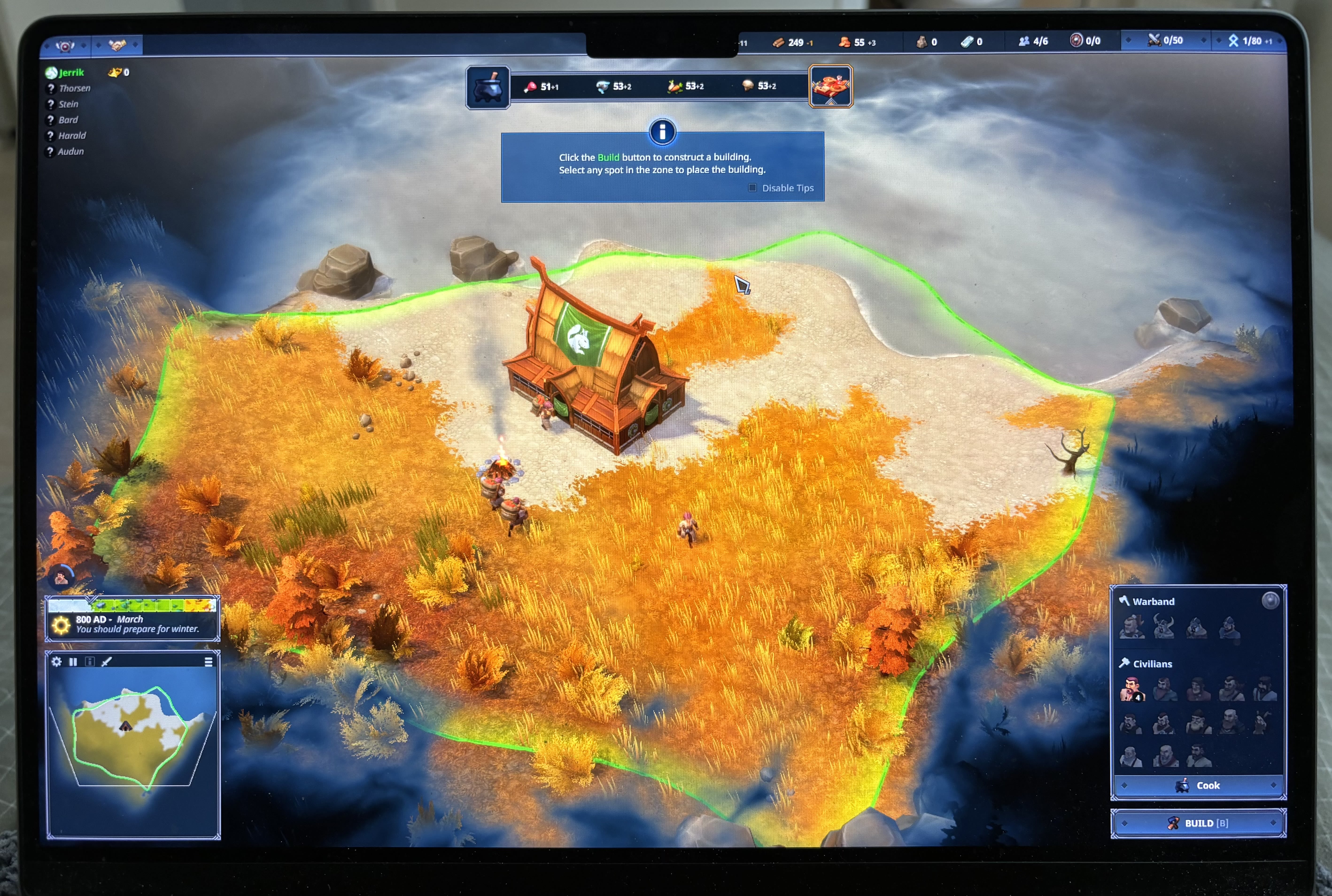
Mac models with notch hiding resource counters
I have a 2021 macbook pro m1 with a notch in the top for the camera. This unfortunately hides some of the resource counters like wood and food (not sure exactly which ones - I can't see them)
I'm running macOS Ventura 13.1, so the latest version at the time of writing.
Comments: 8
Oldest
•
Newest
•
Most likes
•
Fewest likes
-
17 Dec, '23
ChrisHighlighted comment
Anne, because Apple made a bad design decision here and it's not the games fault. There is an Apple workaround I found online to deal with this issue
"...This feature can be activated for each app individually by selecting the app icon. This must be clicked with the right mouse button, under "Information" there is a new option on the MacBook Pro, which scales the app so that it is placed under the "notch bar". It is sufficient to activate this for an app - as long as it is at least open in the background, the display remains scaled accordingly." -
27 Apr, '23
fabianThis happend to me today since the update as well, 2022 mac and now the game is unplayable
-
04 Nov, '23
yurkimus MergedYou can see the broken UI in the photo attached.
Spec:
MacBook Pro 14-inch, 2021
Chip Apple M1 Max
Memory 64 GB
macOS 14.1 (23B74)
-
06 Nov, '23
tymothee Admin MergedHi Yurkimus,
Sorry for the issue :/
As a solution for now, you can play in windowed.
Have a nice day! -
06 Nov, '23
tymothee System"MacBooks Notch is overlapping the stats bar" (suggested by yurkimus on 2023-11-04), including upvotes (1) and comments (1), was merged into this suggestion.
-
24 Nov, '23
GeronimoI had this issue on my MacBook Pro and when you switch in and out of windowed mode (CTRL-CMD-F) it fixed it.